
לקוח יקר, אנו עושים מאמצים רבים כדי לשמור על קנייה בטוחה עבורך:
- 1. אנו לא שומרים את פרטי כרטיס האשראי שלך והם מועברים ישירות לחברות הסליקה.
- 2. כל הפרטים האישיים שלך מאובטחים באמצעות פרוטוקול אבטחה מתקדם SSL.
- 3. החנות שלנו עומדת בתקן האבטחה המחמיר ביותר של חברות האשראי PCI DSS L1.
- 4. בעיסקאות אשראי וכחלק מעמידה בתקן חברות האשראי איננו שומרים את מספר ה-CVV בגב כרטיס האשראי (מספר המעיד על החזקה פיזית של בעל כרטיס האשראי בכרטיס) אלא רק לאחר זיהוי הלקוח. קנייה נעימה ובטוחה, צוות החנות.
קטגוריות ראשיות
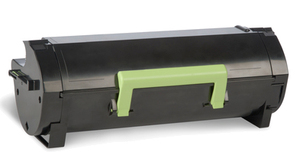
למכשירים משולבים MX410/ MX511/MX611 , הטונר בהספק של עד 10,000 עמודים לפי התקן ובכיסוי 5% לפרטים נוספים
 |
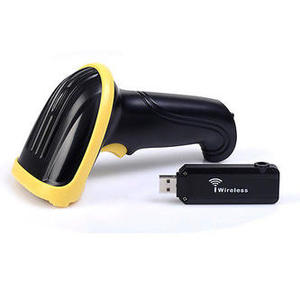
סורק אלחוטי ,מאוד נוח ונייד לשימוש. מרחק התקשורת במקומות פתוחים הוא עד 100meters. מבטיח שידור אלחוטי מאובטח ואמין של נתונים . תמיכה בממשק USB. מושלם לסופרמרקט, מחסן, ספרייה, ובנק, וכו ' לפרטים נוספים
 |
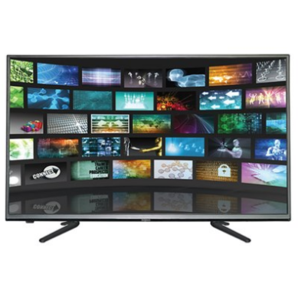
יצרן: Innova , דגם מסך: GL-433S, סוג מוצר: טלוויזיה , גודל מסך: 43 , רזולוציה: 1920x1080 , תקופת האחריות: שלוש שנים , סוג האחריות: באתר הלקוח , נותן השירות: היבואן הרשמי לפרטים נוספים
 |
טכנולוגיית הדפסה: לייזר | Printing: מונו | Copying: מונו | Scanning: Colour | מונו | תקשורת: LAN, WLAN כולל מסך מגע צבעוני 6.8 ס"מ
לפרטים נוספים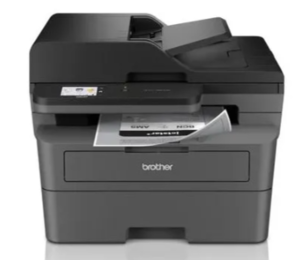 |
טכנולוגיית הדפסה: לייזר | Printing: מונו | Copying: מונו | Scanning: Colour | Faxing: מונו | תקשורת: LAN, WLAN
לפרטים נוספים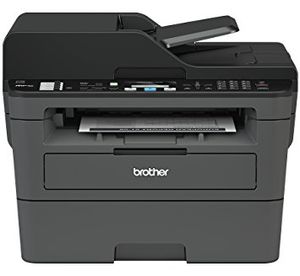 |
כולל 6,000 הדפסות ועם חבילת ההדפסה הכל בקופסה. תעבדו בצורה חכמה יותר מכל מקום בבית או במשרד עם Brother MFC-L2827DWXL המחוברת בקלות. מדפסת לייזר מונו רב-תכליתית זו היא בעלת מגוון תכונות המשפרות יעילות, וחוסכת זמן עם הדפסה וסריקה מהירה, הדפסה דו-צדדית אוטומטית, פקס, קיבולת מגש נייר נדיבה ומזין מסמכים אוטומטי גדול.
לפרטים נוספים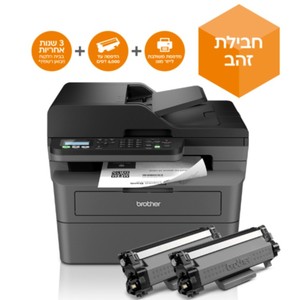 |
טונר שחור מקורי Lexmark 56F5U00 מספיק לכ- 25,000 הדפסות (כיסוי 5%). טונר שחור מקורי LEXMARK מתאים לדגמים הבאים: MX521de MS521dn MS621dn MX521ade MX622ade MX522adhe MS622de MX622adhe
לפרטים נוספים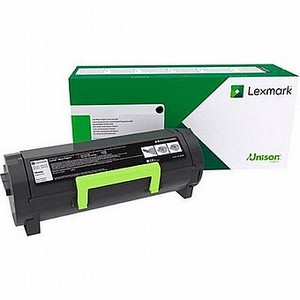 |


קטגוריות ראשיות
שעות פעילות וטלפונים
טריפל אס פוריו בע"מ
שעות הפעילות שלנו הן בימים א – ה בין השעות 08:30 עד 17:00
מענה טלפוני בימים א – ה בין השעות 09:00 עד 16:00
ביום שישי וערבי חג: סגור
ניתן לבצע איסוף עצמי - בתיאום מראש בלבד !!!
טלפון: 072-2700720
פקס: 072-2400554
כתובת : רח' המלאכה 8, פארק תעשיות אפק, ראש העין
אימייל: [email protected]